DocETL turns extraction, classification and summarization into reusable pipelines. Use Python, YAML or DocWrangler to specify models, instructions and output fields, then review sample results before running the full batch.
Who is DocETL for?
For data teams repeatedly processing tickets, interviews or documents. Setup requires a model and familiarity with the CLI, Python or Docker.
Free access
↗
The code is MIT-licensed. Model calls, compute and hosting can incur separate costs.
Platforms
PythonCLIDockerWeb
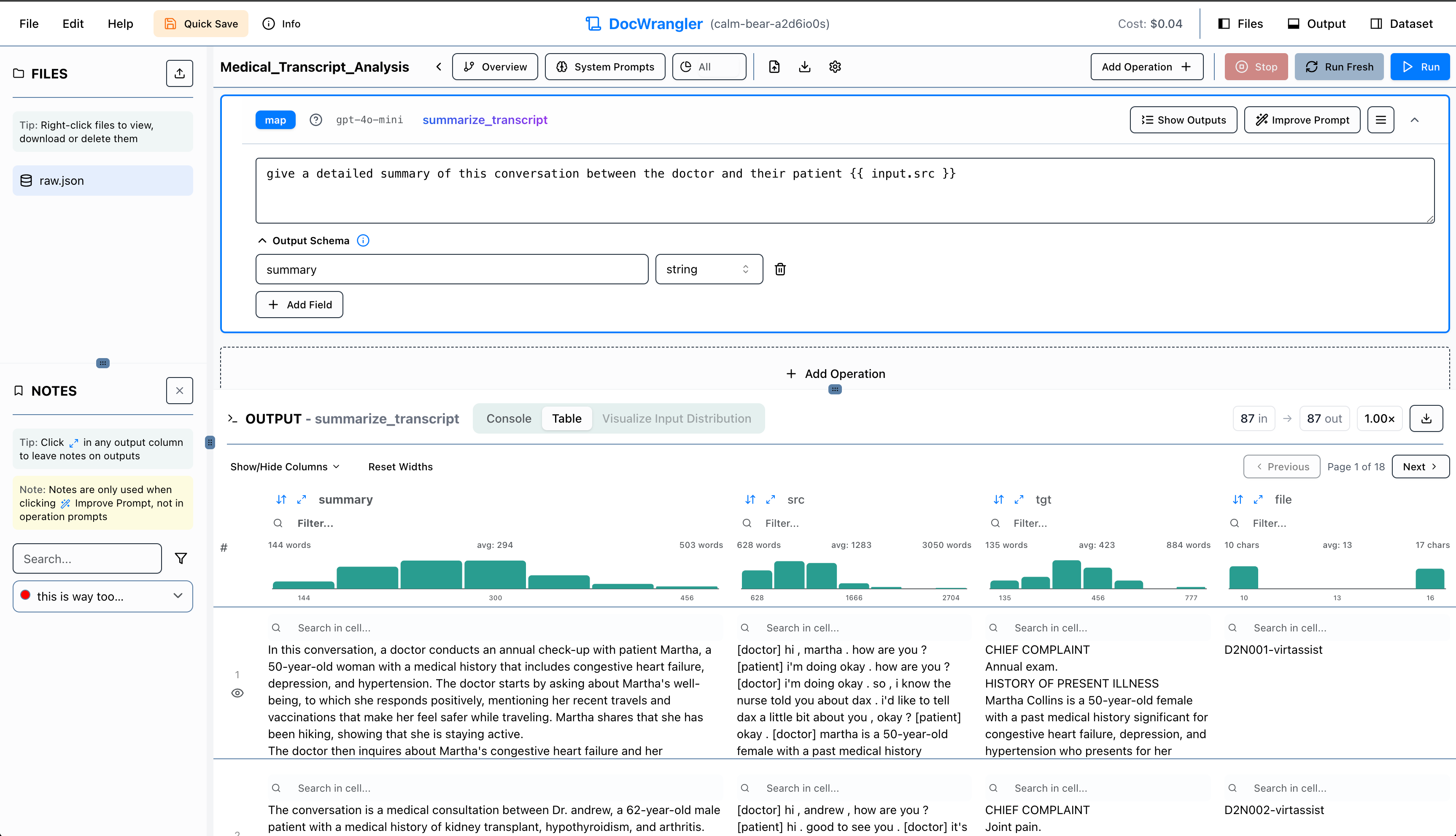
Define extraction fields
Specify a prompt and output fields for each record in DocWrangler.
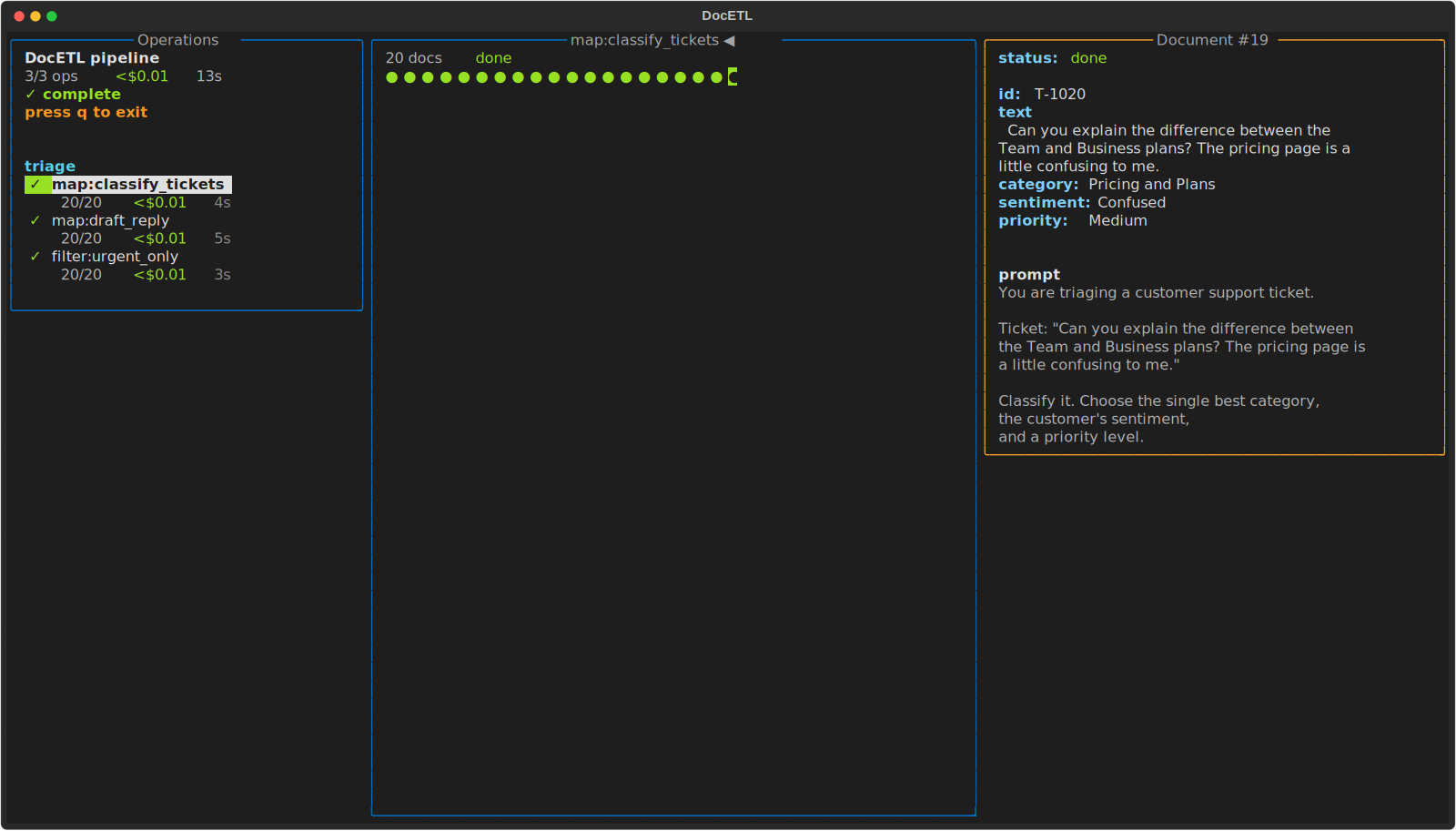
Inspect batch results
Check pipeline progress and inspect individual records and their outputs in the terminal.
DocETL
DocETL FAQs
It depends on the model and deployment. The hosted DocWrangler requires your own LLM API keys, and its prompt assistants require an OpenAI key.
Check where your deployment and model send data. The hosted version documents server-side storage and caching. You can deploy locally, then check separately whether the configured model receives inputs.
Check OCR and layout quality first. You can parse scanned files with Docling and pass the reviewed text to the extraction pipeline.
DocETL plans and pricing
开源工具
$0.00one-time
The code is MIT-licensed. Model calls, compute and hosting can incur separate costs.
DocETL
Turn tickets, interviews and documents into structured records in batches.